字体组件
Discourse 支持从远程仓库导入包含资源的主题。
这样主题作者就可以分享字体和图片。
创建一个包含该字体的新 git 仓库
mkdir discourse-roboto-theme
cd discourse-roboto-theme
git init .
vim about.json
对于 about.json,添加一个骨架配置文件
{
  "name": "Roboto theme component",
  "about_url": "",
  "license_url": "",
  "assets": {
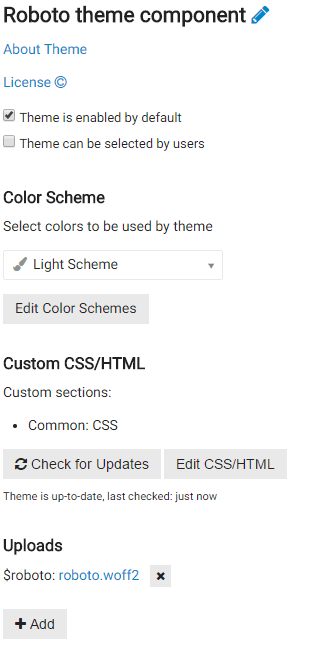
    "roboto": "assets/roboto.woff2"
  }
}
添加一个 LICENSE 文件,我通常使用 MIT
vim LICENSE
下载字体
http://localfont.com/ 是一个获取字体的便捷网站
mkdir assets
cp ~/Downloads/roboto.woff2 roboto.woff2
添加使用该主题的 CSS
mkdir common
cd common
创建一个名为 common.scss 的文件,内容为
@font-face {
  font-family: Roboto;
  src: url($roboto) format("woff2");
}

body {
  font-family: Roboto;
}
推送变更到 GitHub
提交你的所有变更:
git add LICENSE
git add about.json
git add assets/roboto.woff2
git add common/common.scss
git commit -am "first commit"
在 GitHub.com 上创建一个帐户,然后创建一个新仓库。
(可选)在 Discourse 上创建一个话题作为讨论你配色的场所
理想情况下,你会在 #customization:theme 类别中创建一个话题,附上你的配色方案的一些截图。你将把它用作你的 about_url
在你的 about.json 文件中填写缺失的信息
-
前往你在 GitHub 上的 LICENSE 页面,将该 URL 填写为你的
license_url -
使用 GitHub 项目 URL 或 Discourse 话题 URL 作为你的
about_url
完成这个过程后,你的 about.json 文件大致如下:
{
  "name": "Roboto theme component",
  "about_url": "https://github.com/SamSaffron/discourse-roboto-theme",
  "license_url": "https://github.com/SamSaffron/discourse-roboto-theme/blob/master/LICENSE",
  "assets": {
    "roboto": "assets/roboto.woff2"
  }
}
提交该变更并推送到 GitHub
git commit -am "added more details"
git push
测试你的字体组件
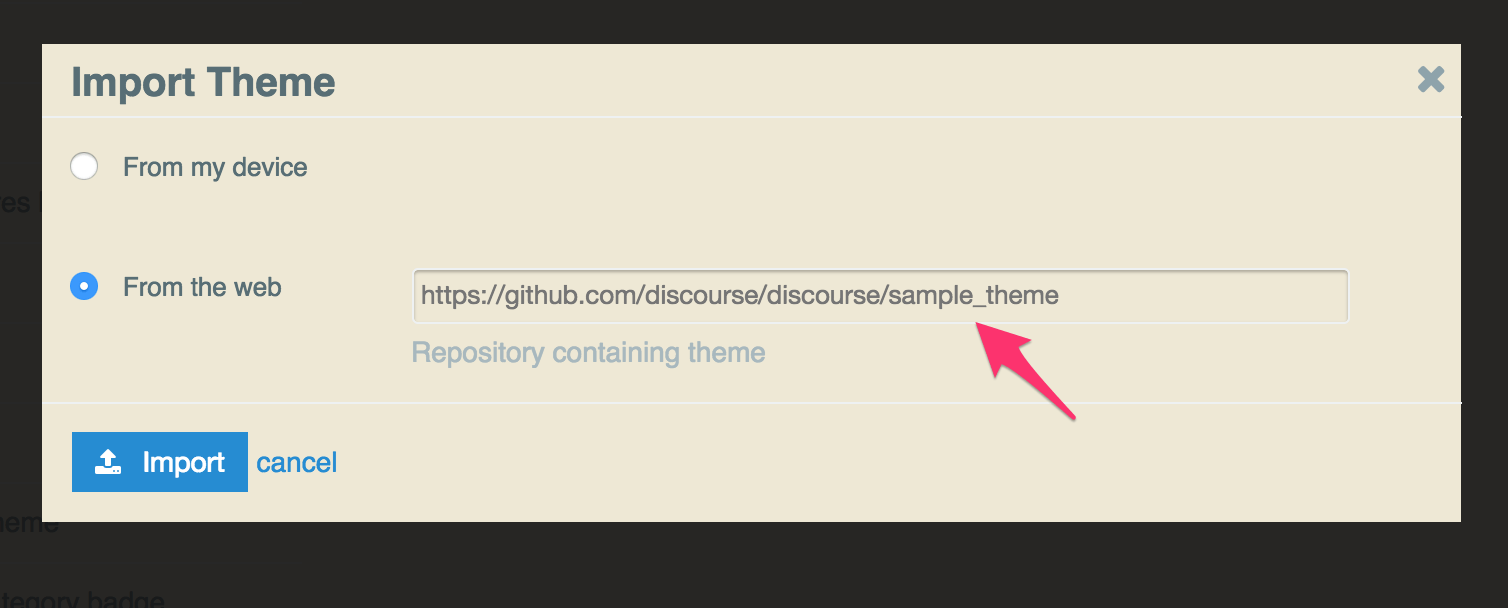
- 在
admin/customize/theme页面从 GitHub 导入你的主题
:confetti_ball:
现在你可以轻松地分享字体了!
另请参阅:
https://meta.discourse.org/t/how-to-develop-custom-themes/60848
这篇文档对你有帮助吗?
谢谢你的反馈!