可本地化字符串
对于希望在 Discourse 主题或主题组件中添加自定义语言和翻译的用户,现在可以包含本地化字符串,这些字符串可供 UI 组件使用。翻译以与核心/插件翻译相同的格式存储,使用方式也几乎相同。
主题可以提供格式类似 /locales/{locale}.yml 的翻译文件。这些文件必须是有效的 YAML,且只有一个顶级键,其名称与所定义的语言区域相同。可以使用 discourse_theme CLI、导入 .tar.gz、从 GIT 仓库安装或通过 theme-creator.discourse.org 上的编辑器来定义这些文件。
语言区域文件示例可能如下所示:
en:
  theme_metadata:
    description: "This is a description for my theme"
    settings:
      theme_setting_name: "This is a description for the setting `theme_setting_name`"
      another_theme_setting_name:
        description: "This is a description for the setting `another_theme_setting_name`"
  sidebar:
    welcome: "Welcome"
    back: "back,"
    welcome_subhead: "We're glad you're here!"
    likes_header: "Share the Love"
    badges_header: "Your Top Badges"
    full_profile: "View your full profile"
管理员可以在 /admin/customize/themes 用户界面中按主题覆盖各个键。回退机制的处理方式与核心相同,因此非英语语言的翻译可以不完整,缺失的部分将使用英语键。
管理员还可以在外观 → 网站文本中管理这些翻译。选择一个主题或组件来搜索其语言区域文件中的字符串,编辑所选语言的翻译,或将覆盖还原为语言区域文件的默认值。可以使用 /admin/customize/site_texts?theme_id=THEME_ID 链接到所选内容。网站文本将这些条目标识为 js.theme_translations.THEME_ID.KEY;编辑操作使用与主题编辑器相同的主题翻译覆盖。
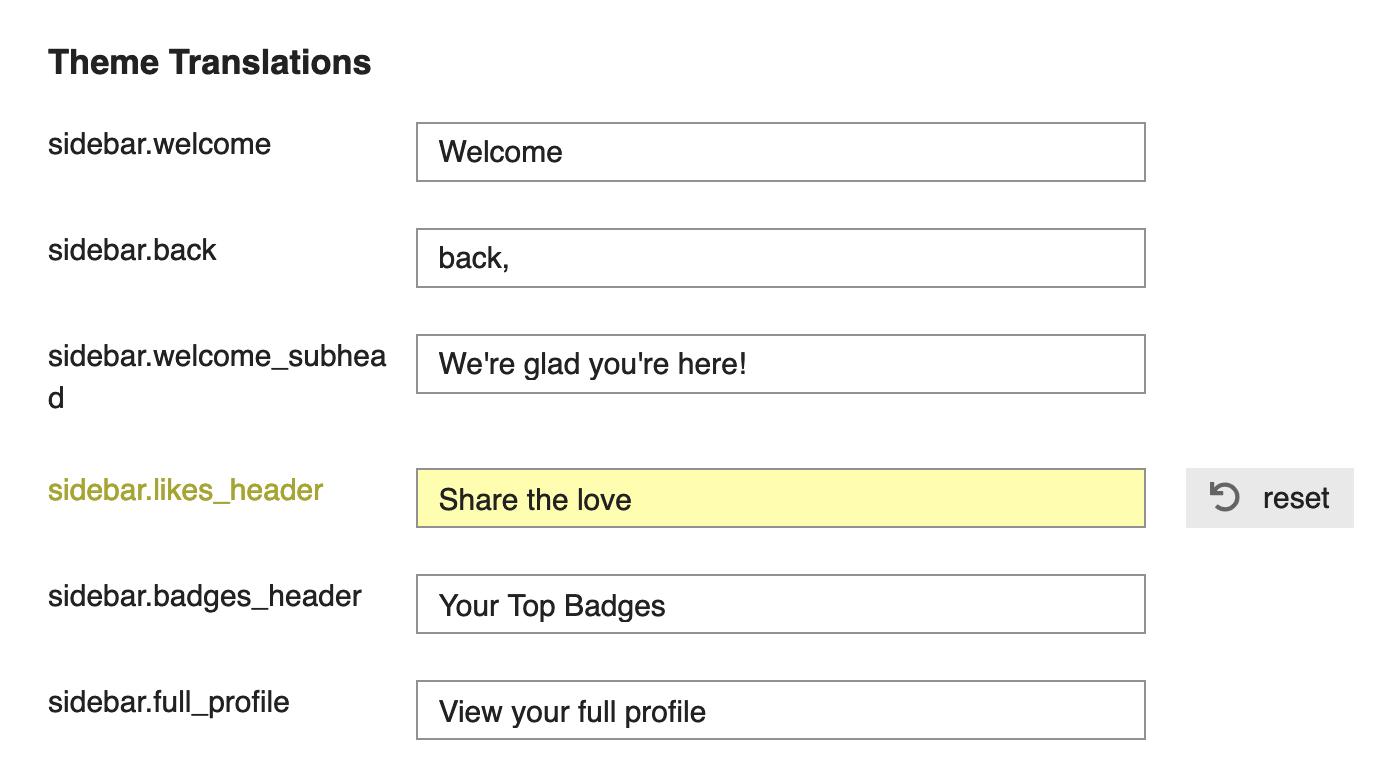
在后台,这些翻译与核心翻译一起存储,位于主题专属的命名空间下。例如:
theme_translation.{theme_id}.sidebar.welcome
请勿在主题代码中硬编码 theme_id。要动态构建翻译键,请使用 themePrefix 助手:
import { i18n } from "discourse-i18n";
import { themePrefix } from "virtual:theme";

// In JS code:
const result = i18n(themePrefix("my_translation_key"));
console.log("From Javascript", result);

// In a template tag:
<template>{{i18n (themePrefix "blah")}}</template>
有关在主题中使用翻译的完整示例,请查看 @awesomerobot 的 Fakebook 主题:https://github.com/awesomerobot/Fakebook
谢谢你的反馈!