Time Picker
Description
The Time Picker field creates a jQuery time selection popup.
Screenshots
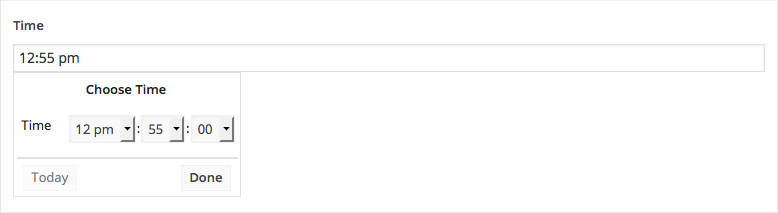
The Time Picker field interface
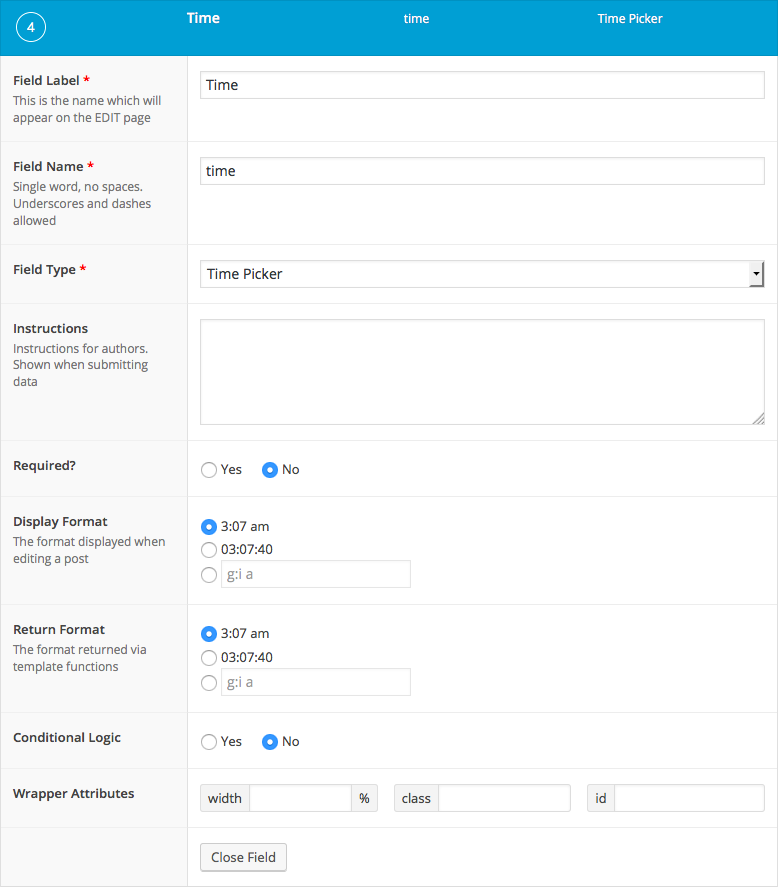
The Time Picker field settings
Changelog
- Added in version 5.3.9.
Settings
- Display Format
The time format that is displayed when selecting a date. - Return Format
The time format that is returned when loading the value.
Template usage
The Time Picker field returns a string value using the Return Format setting.
Display value
This example demonstrates how to display a time value.
<p>Monday: <?php the_field('monday_open_time'); ?> - <?php the_field('monday_close_time'); ?></p>
Query posts within time range
This example demonstrates how to query posts for all stores that are open.
It assumes a custom post type called ‘store’ exists with a custom field for each day’s open and close time in the following naming convention: ‘monday_open_time’, ‘monday_close_time’, ‘tuesday_open_time’, etc.
When working with the meta_query array, remember that WordPress reads this as $meta $compare $value (eg. ‘monday_open_time’ < $time)
<?php

// Find today's day of the week.
$today = date('l');
$today = strtolower( $today );

// Find current time.
$time = date('H:i:s');

// Query stores using custom fields in meta_query.
$posts = get_posts(array(
    'posts_per_page'    => -1,
    'post_type'         => 'store',
    'meta_query'        => array(
        'relation'          => 'AND',
        array(
            'key'           => $today.'_open_time',
            'compare'       => '<=',
            'value'         => $time,
            'type'          => 'TIME'
        ),
        array(
            'key'           => $today.'_close_time',
            'compare'       => '>=',
            'value'         => $time,
            'type'          => 'TIME'
        )
    )
));

if( $posts ): ?>

    <h2>Stores open now</h2>
    <ul id="events">
        <?php foreach( $posts as $p ): ?>
            <li>
                <strong><?php echo $p->post_title; ?></strong>:
                <?php echo $today; ?> <?php the_field( $today.'_open_time', $p->ID ); ?> -  <?php the_field( $today.'_close_time', $p->ID ); ?>
            </li>
        <?php endforeach; ?>
    </ul>

<?php endif; ?>
Notes
Database format
The value selected can be returned and displayed in different formats but will be saved to the database as ‘H:i:s’. This format is used throughout the WordPress database tables and will allow for straight-foward database querying.
Time format strings
To customize the Display Format and Return Format settings further, refer to the full list of time format strings within the PHP date() documentation.
谢谢你的反馈!