Page Link
Description
The Page Link field creates an interactive drop-down to select one or more posts, pages, custom post type items or archive URLs. This field type uses the Select2 library to enable search and AJAX functionality.
Screenshots
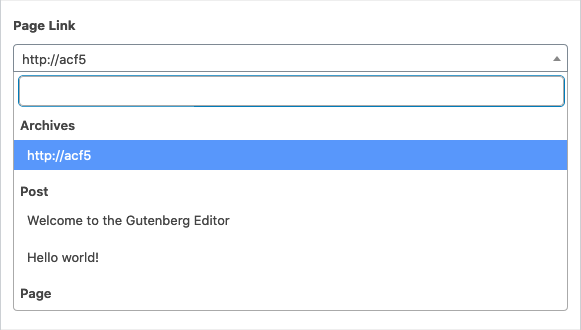
The Page Link field interface
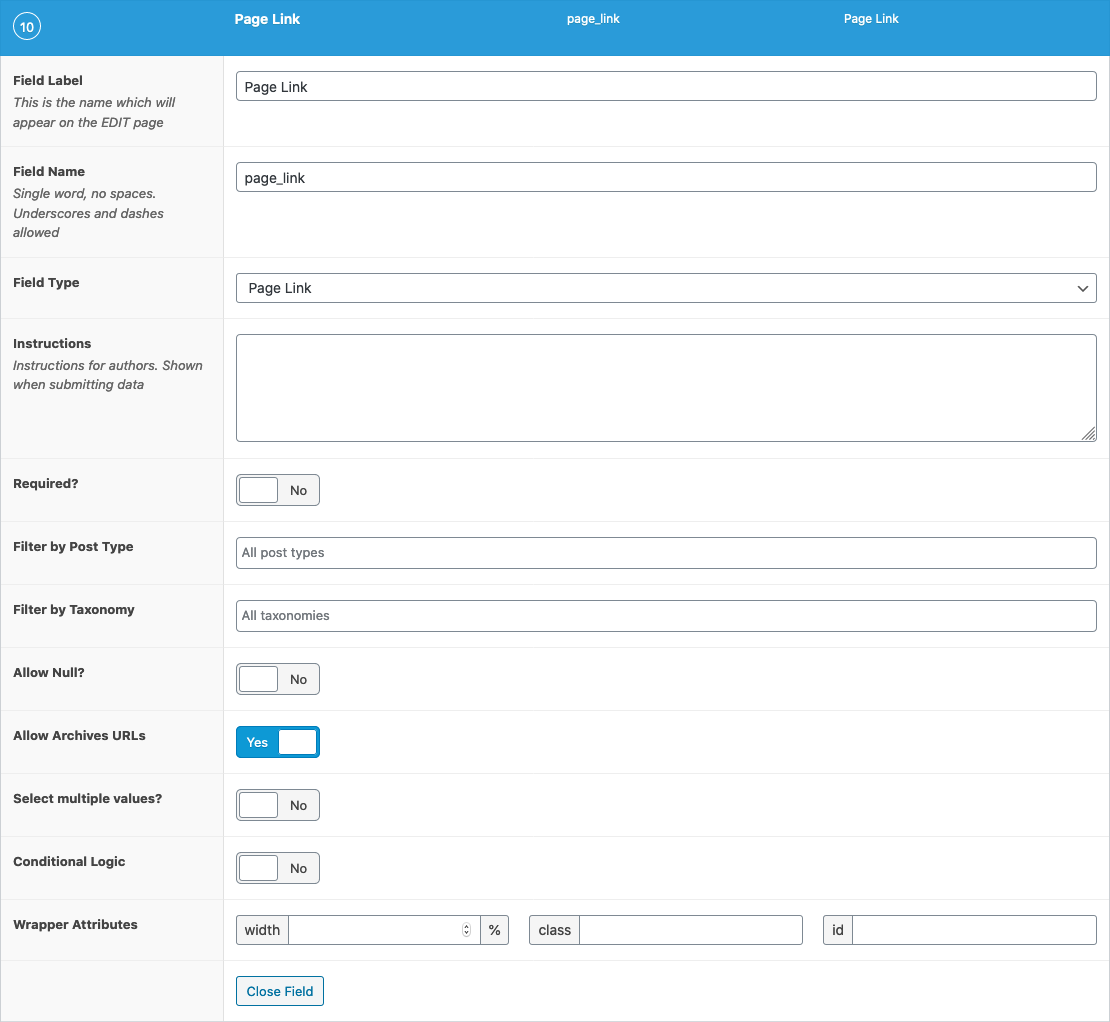
The Page Link field settings
Changelog
- Added
Allow Archivesin version 5.4.0. - Added Select2 UI in version 5.0.0.
Settings
- Filter by Post Type
Filters the selectable results via one or more post type. When left empty, all post types will be shown. As results are grouped by their post type, the selected post types here may be positioned into a specific order. - Filter by Taxonomy
Filters the selectable results via one or more taxonomy term. - Allow Null
Allows the current selection to be cleared and an empty value to be saved. - Allow Archives URLs
Includes post type archive URLs within the select list of options. - Multiple
Allows you to select more than one choice. When enabled, you may also drag/drop to reorder the selected choices.
Template usage
The Page Link field will return either a single URL or array of URLs. To get more data from a selected post, please use the post object field instead.
Display single value
This example demonstrates how to display a selected page link value.
<a href="<?php the_field('page_link'); ?>">Continue reading</a>
Display multiple values
This example demonstrates how to load and display multiple selected page link values.
<?php
$urls = get_field('urls');
if( $urls ): ?>
    <h3>Further reading</h3>
    <ul>
        <?php foreach( $urls as $url ): ?>
        <li>
            <a href="<?php echo esc_url( $url ); ?>"><?php echo esc_html( $url ); ?></a>
        </li>
        <?php endforeach; ?>
    </ul>
<?php endif; ?>
这篇文档对你有帮助吗?
谢谢你的反馈!