Tab
Description
The Tab field is used to group together fields into tabbed sections.
When editing a field group, be aware that all fields following the Tab field (or until another Tab field is defined) will be grouped together using the Tab field label as the tab heading.
Screenshots
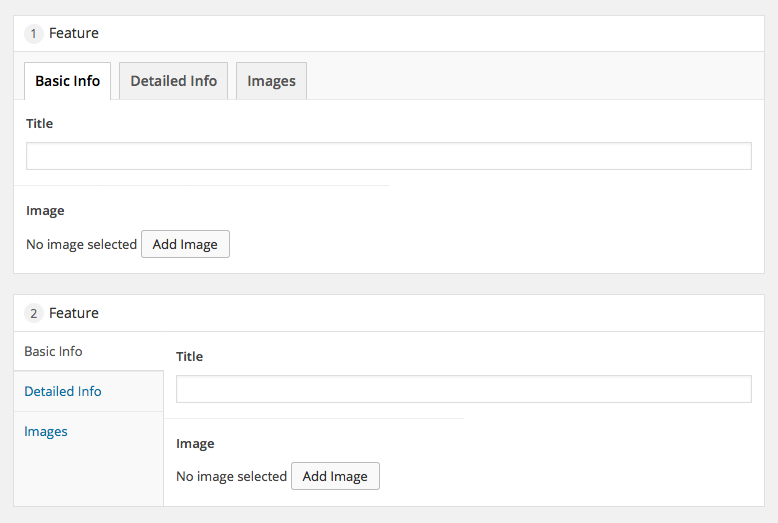
The Tab field interface
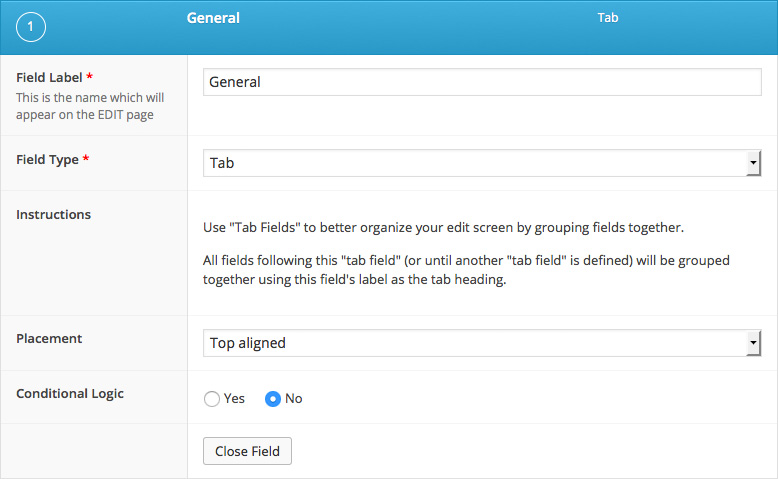
The Tab field settings
Changelog
- Added
Placementsetting in version 5.1.7. - Added
Endpointsetting in version 5.2.8. - Added sub field compatibility in version 5.0.0.
Settings
- Placement
Changes the tab style from a top aligned row to a left aligned sidebar. Theleft alignedoption will be ignored if the field group appears in a table element (editing a user, attachment, taxonomy or field group label setting on left). - Endpoint
Defines an endpoint for the previous Tab group. When used in combination with an empty field label, this field can be used as a tab stopper.
这篇文档对你有帮助吗?
谢谢你的反馈!