Accordion
Description
The Accordion field is used to organize fields into collapsible panels.
Each Accordion displays a clickable title generated by the field’s label and instructions, and a collapsible content panel where neighboring fields will be moved within.
When editing a field group, be aware that all fields following an Accordion field (or until another Accordion field is defined) will be added to the Accordion’s content panel.
Screenshots
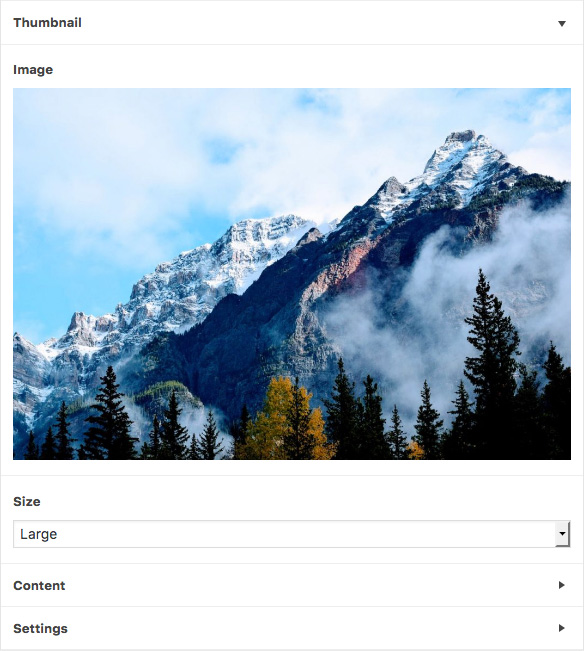
The Accordion field interface
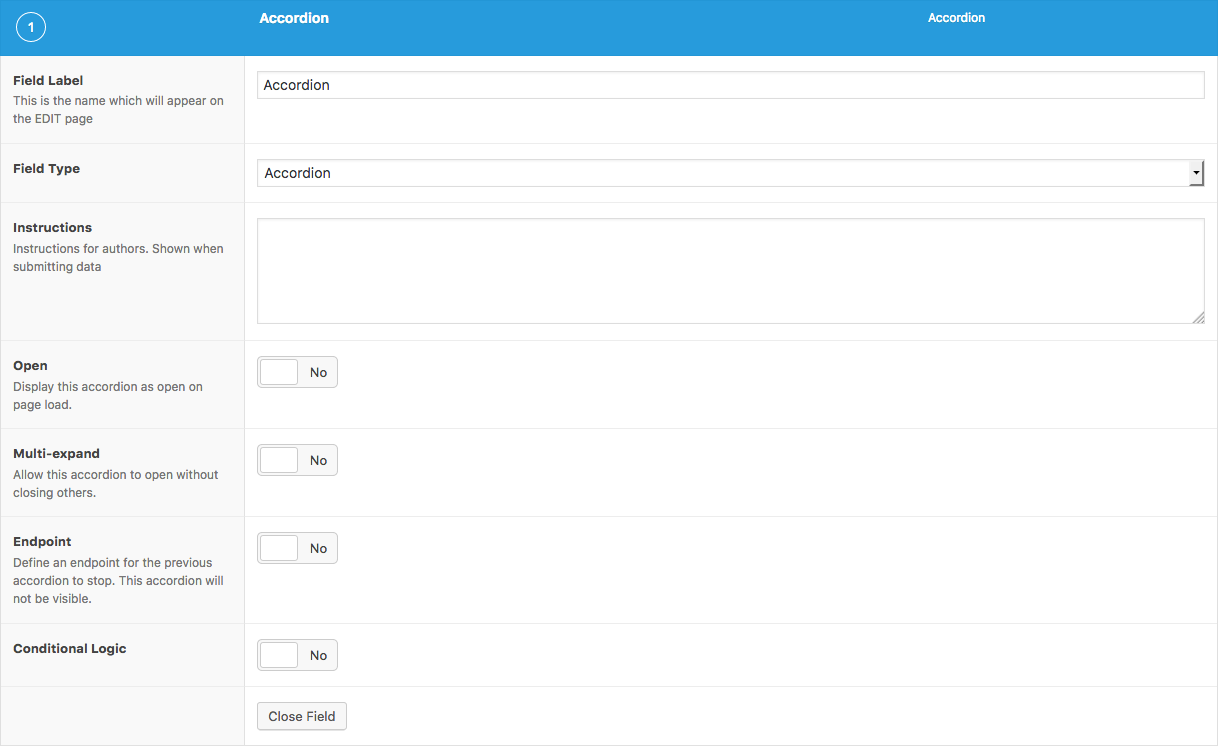
The Accordion field settings
Changelog
- Added in version 5.6.6.
Settings
- Open
Shows the Accordion content panel as open on initial page load. Defaults to false. - Multi-expand
Prevents default behavior of closing sibling Accordions when one is open. Defaults to false. - Endpoint
Defines an endpoint for the previous Accordion field. All fields that follow will not be appended to the Accordion’s content panel.
这篇文档对你有帮助吗?
谢谢你的反馈!