Range
Description
The Range field provides an interactive experience for selecting a numerical value between specific endpoints.
Screenshots
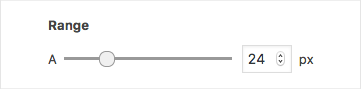
The Range field interface
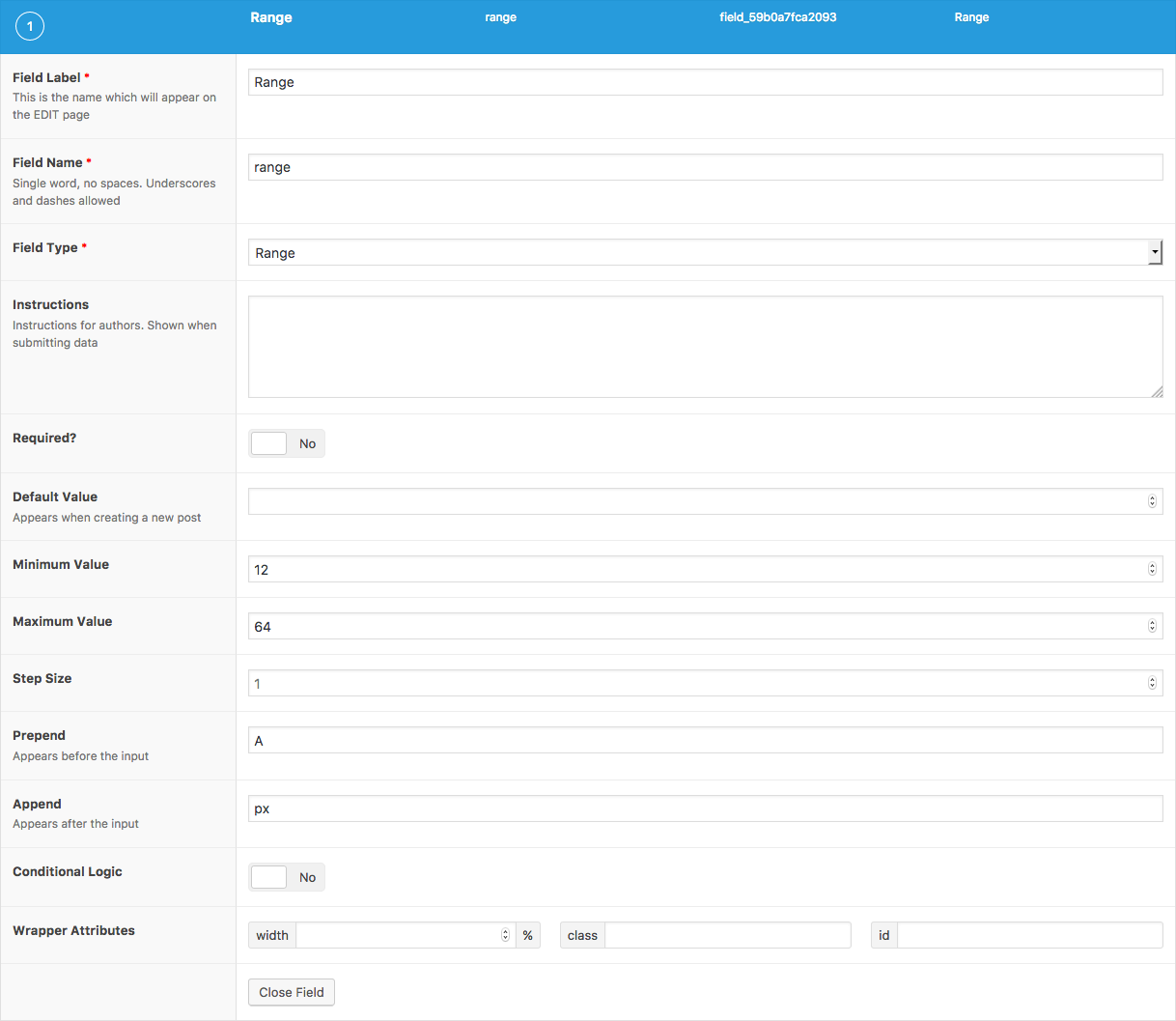
The Range field settings
Changelog
- Added in version 5.6.2.
Settings
- Default Value The default value loaded when editing a new post (when no value exists).
- Minimum Value The minimum (numeric) value allowed. Defaults to 0.
- Maximum Value The maximum (numeric) value allowed. Defaults to 100.
- Step Size The increment at which a numeric value can be set. Defaults to 1.
- Prepend HTML displayed before (to the left) of the range input.
- Append HTML displayed after (to the right) of the range input.
Template usage
Display value within CSS
This example demonstrates how a Range field value can be used to control the font-size of all <h2> elements.
<?php

$h2_font_size = get_field('h2_font_size');
if( $h2_font_size ): ?>
<style type="text/css">
    h2 {
        font-size: <?php echo $h2_font_size; ?>px;
    }
</style>
<?php endif; ?>
Display value as text.
This example demonstrates how to display a Range field value as text.
<p>Searching for houses within a <?php the_field('search_radius'); ?>km radius.</p>
这篇文档对你有帮助吗?
谢谢你的反馈!