Creating a User Account
Goal
Create Vendor user accounts for Sweet Honey and Happy Farm vendors.
Prerequisite knowledge
Site prerequisites
The Vendor role must exist on your site. See Creating a Role.
Steps
- In the Manage administrative menu, navigate to People (admin/people).
- Click Add user.
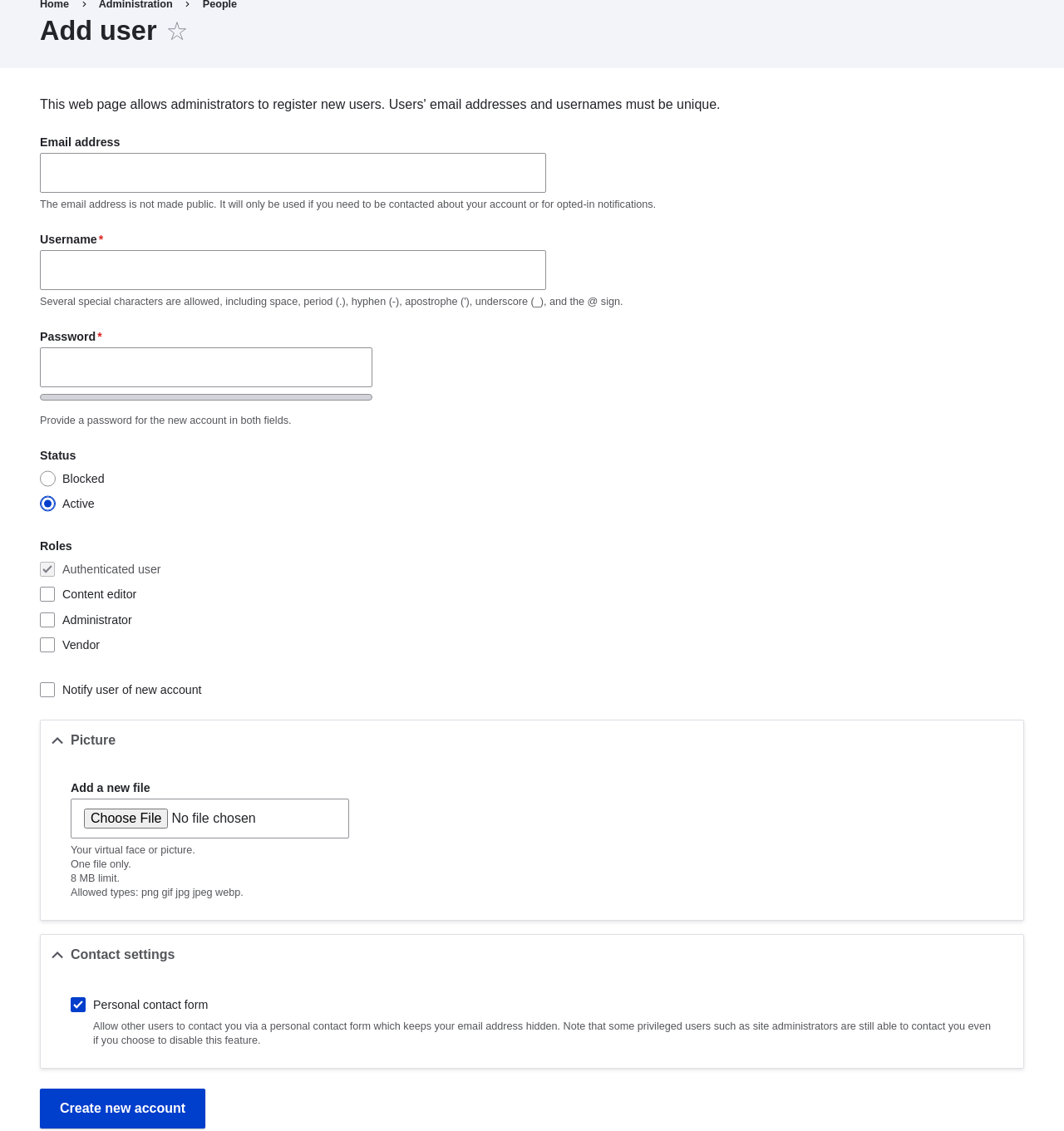
- Fill in the form fields. See the table below.
Field name Explanation Example value Email address A valid email address for the vendor. All emails from the system will be sent to this address. The email address is not made public. honey@example.com Username A username for the vendor that they will use to sign in or author content items. Spaces are allowed; punctuation is not allowed except for periods, hyphens, apostrophes, and underscores. Sweet Honey Password A password the vendor will use to sign in to the site. You can see how safe the password is on the _Password strength_ gauge. You also get tips on how to make it safer. (Make a secure password) Confirm password Type the same password to avoid any typing mistakes. (Repeat password) Status Set the status of the user account. _Blocked_ users will not be able to sign in. Active Roles Set the role of the user account. Vendor Notify user of new account Whether or not to send a notification to the vendor's email address. Checked Picture Click _Browse_ and select a picture to upload. Pay attention to size restrictions. Photo of the vendor Contact settings Enable or disable the display of a contact form for the account. Checked - Click Create new account. You will get a notification about the user account
creation.

- Create a second Vendor account for Happy Farm by following the steps above.
Expand your understanding
Create a user account for yourself.
Videos

这篇文档对你有帮助吗?
谢谢你的反馈!