Finding Themes
Goal
Find and evaluate themes on Drupal.org.
Prerequisite knowledge
Steps
-
Go to https://www.drupal.org, and navigate to Download & Extend > Themes (https://www.drupal.org/project/project_theme).
-
Filter your search using the categories on the theme search page. For example, you might use these filters:
Field name Explanation Example value Maintenance status How actively is the theme maintained? If a theme is actively maintained, you can expect bug fixes and improvements on a regular basis. Actively maintained Development status What kind of development is the theme undergoing? If you select _Under active development_, you can expect new features to be added, and some aspects may still change. If you select _Maintenance fixes only_, it means that the theme is considered complete. Any Core compatibility The Drupal version the theme is compatible with. 9.x Status _Sandbox projects_ are experimental projects. _Full projects_ have already gone through an approval process, but they can still be in development. Full projects Stability Whether or not the project maintainer has created a production-ready Security advisory coverage Whether or not the project maintainer has agreed to follow Drupal Security Team procedures. Has security advisory coverage Search themes Search by search term in the theme's description. - Sort by Order your search results by criteria like _Most installed_ (popular themes that many sites use) or _Last release_ (date of latest version released). Most installed 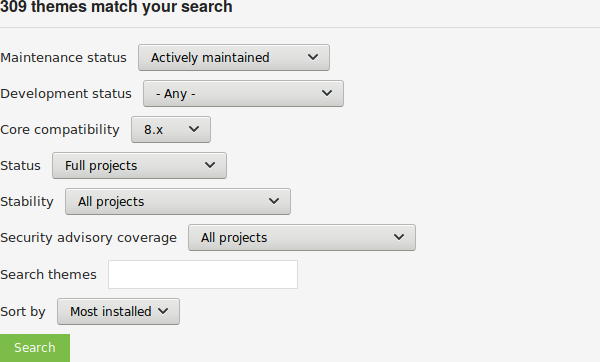
-
Click Search. Search results will appear.
-
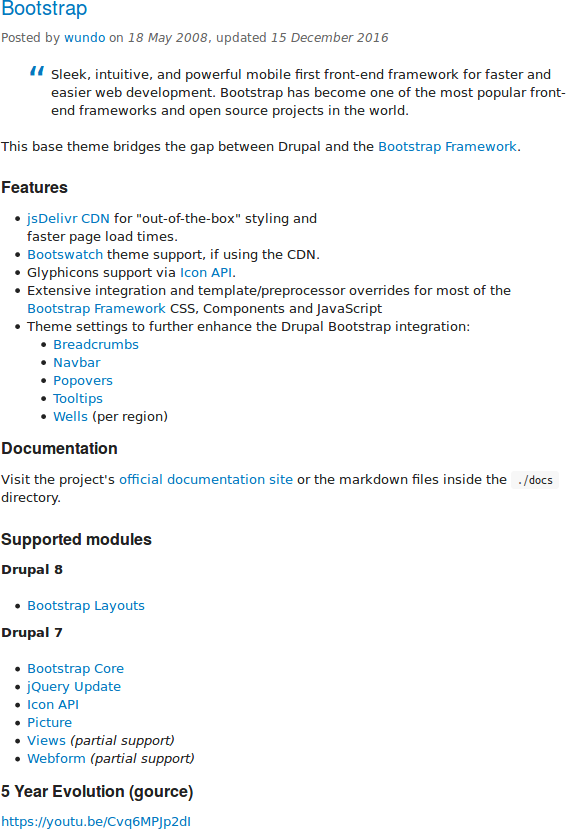
To further evaluate a theme, click its title in the list of search results to visit its project page.
Some aspects to pay attention to while evaluating themes:
- Introduction: The description of the theme on its project page should be clear and useful. A screenshot of the theme helps your evaluation as well.
- Project information: There may be warnings in this area of the page, such as if a theme is no longer being developed, or is not covered by the security advisory policy.
- Project information > Reported installs, downloads: You can see how many people have downloaded and how many sites use the theme.
- Issues: See if there are any open issues, potential problems with the theme. Check the Statistics to see how regularly issues are responded to.
- Documentation, Resources: Check if the theme has documentation or a README file, that can help you install, configure, explore, and test it.
Expand your understanding
Videos

这篇文档对你有帮助吗?
谢谢你的反馈!