Relationship
- Description
- Screenshots
- Settings
- Template usage
- Display list of posts (with setup_postdata)
- Display list of posts (without setup_postdata)
- Notes
- Customization
- Reverse query
Description
The Relationship field provides a dual-column component to select one or more posts, pages or custom post type items, providing search, post type and taxonomy filtering controls to help find results.
Screenshots
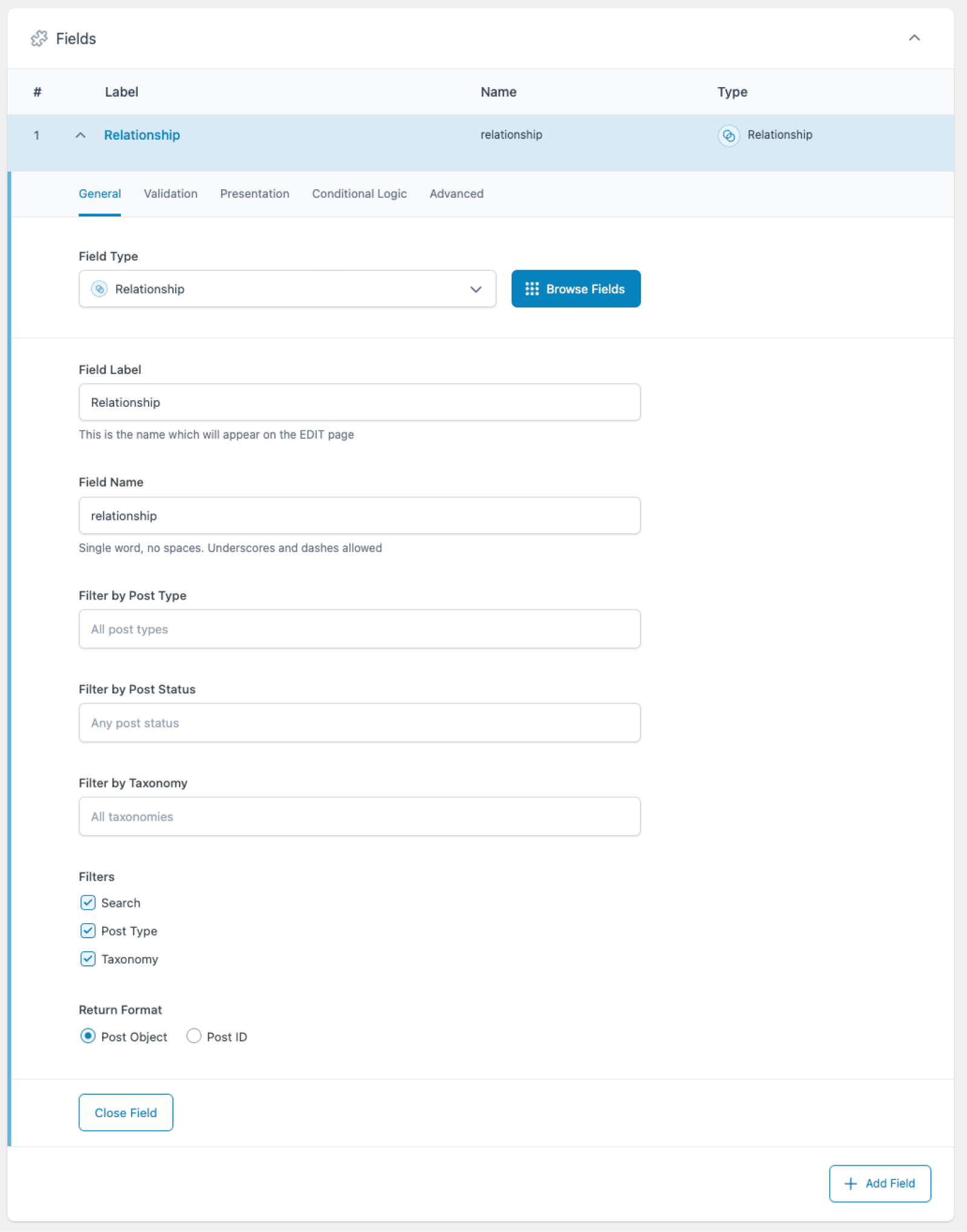
Creating a Relationship field in an ACF field group.
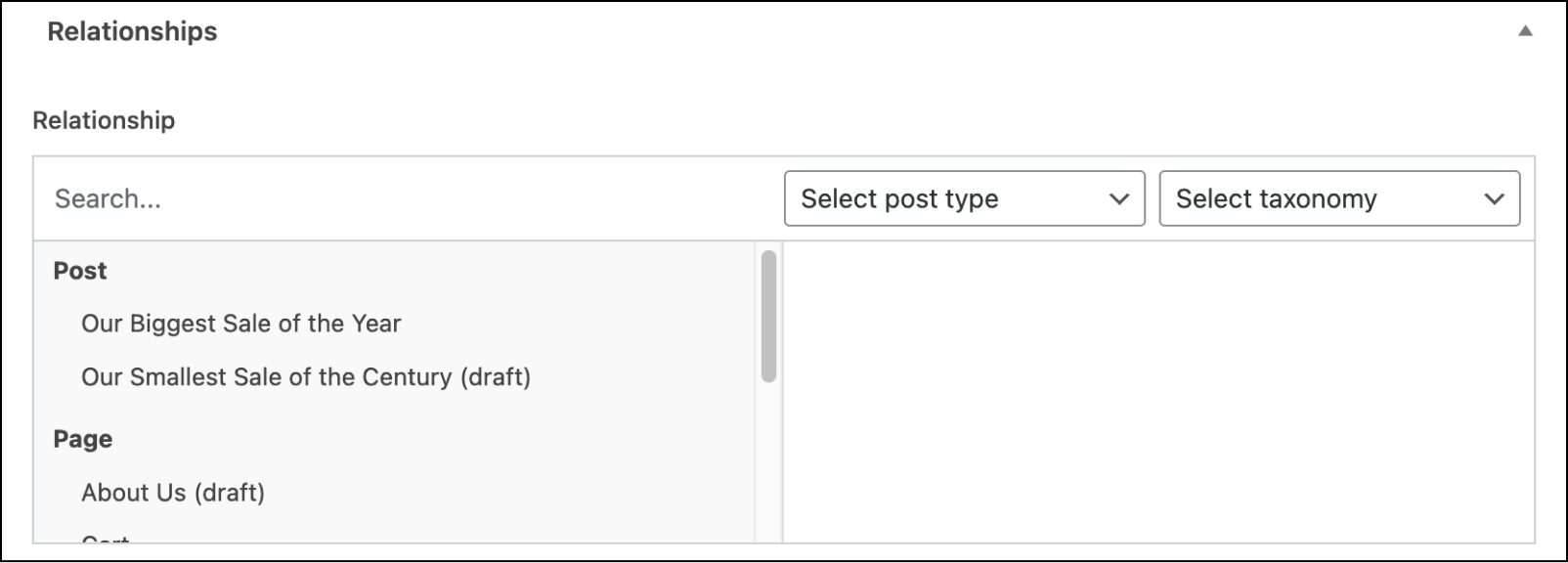
The Relationship field UI as it might appear to content editors.
Settings
- Filter by Post Type
Filters the selectable results by post type. When left empty, all post types are shown. Results are grouped by post type, so selected post types may be positioned in a specific order. - Filter by Post Status
Filters the selectable results by status, i.e, Published, Draft, etc. Shows posts of every status if left empty. - Filter by Taxonomy
Filters the selectable results via one or more taxonomy terms. - Filters
Specifies which filters are displayed in the component. Select from “Search”, “Post Type”, and/or “Taxonomy”. - Return Format
Specifies the returned value format. Choose from Post Object (
WP_Post) or Post ID (integer). - Required
Found on the Validation tab, this requires an input be entered, preventing the field from accepting empty values. Defaults to off. - Minimum Posts
Sets a limit on how many posts are required. - Maximum Posts
Sets a limit on how many posts are allowed. - Instructions
Shows instructions when submitting data. - Elements
Specifies which elements are displayed in each result. Select from “Featured Image”. - Conditional Logic
Enabling this setting allows you to customize the logic which determines if the current field should be visible. Groups of conditional logic rules can be created to allow for multiple and/or statements. - Bidirectional
Found on the Advanced tab, enabling this setting allows you to update a value in the target fields for each value selected for this field, adding or removing the Post ID, Taxonomy ID, or User ID of the item being updated. Please see Bidirectional Relationships for more information on using this setting to create bidirectional relationships directly in ACF’s UI.
Template usage
The Relationship field will return an array of items where each item is either a WP_Post object or an integer value depending on the Return Format set.
Display list of posts (with setup_postdata)
This example demonstrates how to loop over a Post Object value and display a list of clickable links. Here, we use a special function named setup_postdata() to enable the use of WordPress template functions. The field in this example uses Post Object as the Return Format, and is a multiple value.
<?php
$featured_posts = get_field('featured_posts');
if( $featured_posts ): ?>
    <ul>
    <?php foreach( $featured_posts as $post ):

        // Setup this post for WP functions (variable must be named $post).
        setup_postdata($post); ?>
        <li>
            <a href="<?php the_permalink(); ?>"><?php the_title(); ?></a>
            <span>A custom field from this post: <?php the_field( 'field_name' ); ?></span>
        </li>
    <?php endforeach; ?>
    </ul>
    <?php
    // Reset the global post object so that the rest of the page works correctly.
    wp_reset_postdata(); ?>
<?php endif; ?>
Display list of posts (without setup_postdata)
This example demonstrates how to loop over a Post Object value and display a list of clickable links. Here, the global post variable is never changed, so all “post” related functions need a second parameter to specify which object. The field in this example uses Post Object as the Return Format, and is a multiple value.
<?php
$featured_posts = get_field('featured_posts');
if( $featured_posts ): ?>
    <ul>
    <?php foreach( $featured_posts as $featured_post ):
        $permalink = get_permalink( $featured_post->ID );
        $title = get_the_title( $featured_post->ID );
        $custom_field = get_field( 'field_name', $featured_post->ID );
        ?>
        <li>
            <a href="<?php echo esc_url( $permalink ); ?>"><?php echo esc_html( $title ); ?></a>
            <span>A custom field from this post: <?php echo esc_html( $custom_field ); ?></span>
        </li>
    <?php endforeach; ?>
    </ul>
<?php endif; ?>
Notes
Customization
The Relationship field contains filters to customize the posts displayed, and the text displayed for each post.
Reverse query
It is possible to perform a reverse query on a post (post A) to find all the posts (post B, post C) which have selected it (post A). To learn more about a reverse query, please read this in-depth tutorial.