# Gallery
## Description
The Gallery field provides an interactive interface for managing a collection of attachments.
## Screenshots
[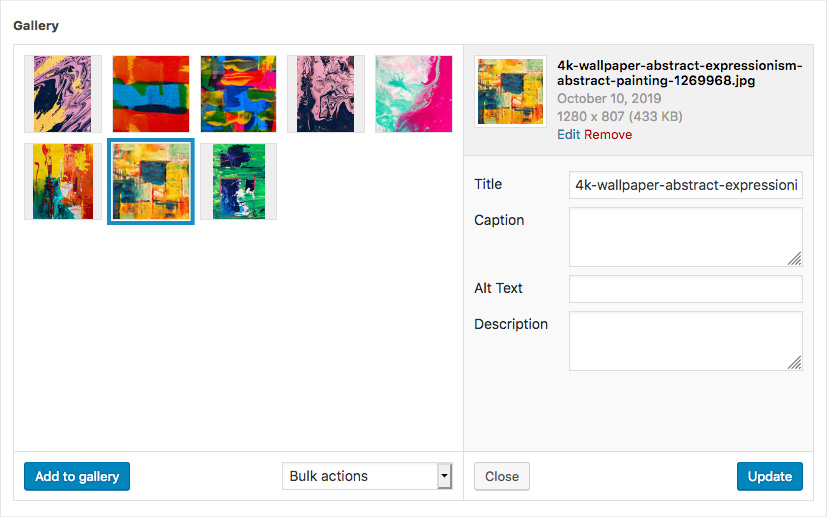](https://www.advancedcustomfields.com/wp-content/uploads/2013/02/acf-gallery-field-interface.jpg)
The Gallery field interface
[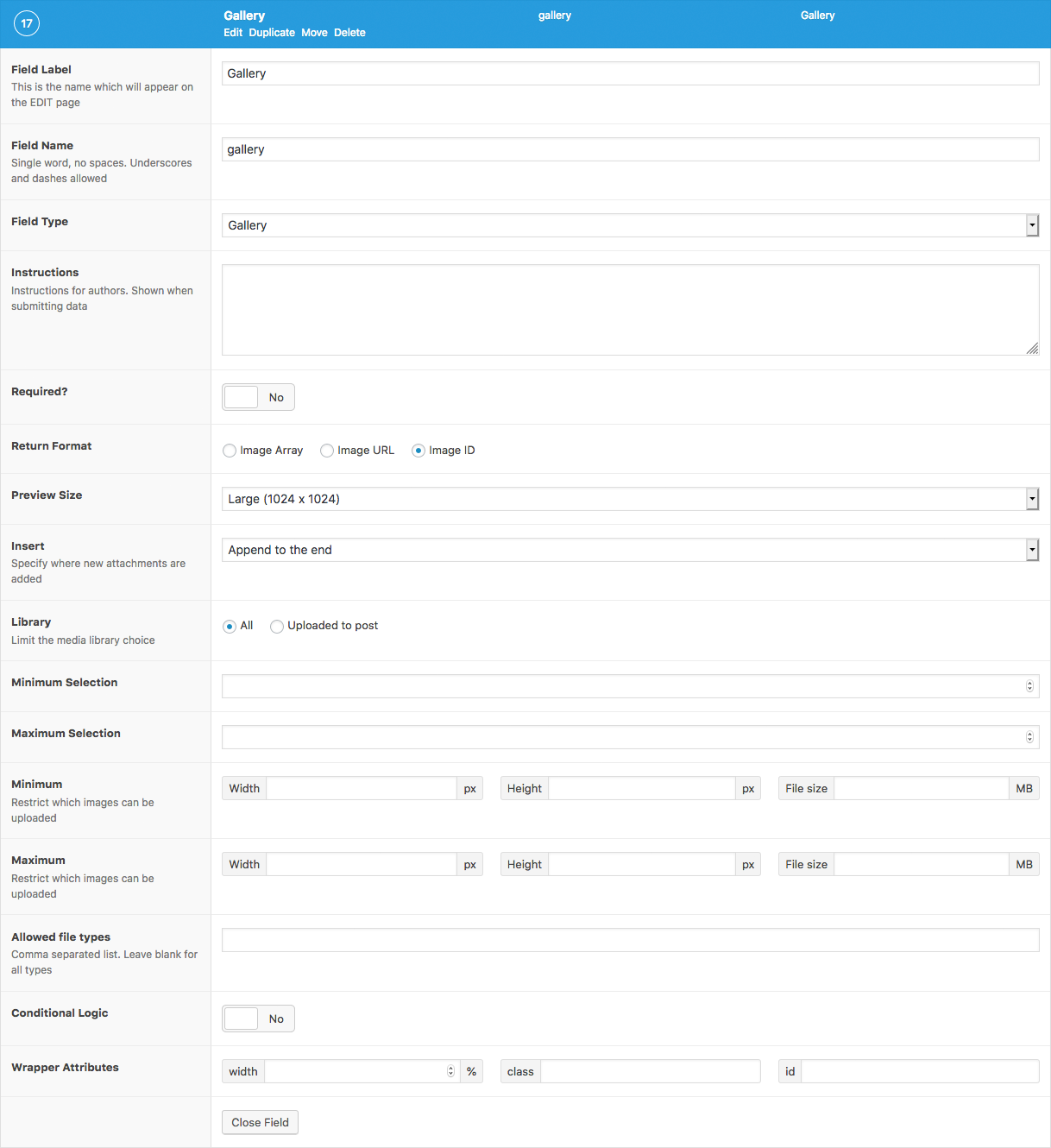](https://www.advancedcustomfields.com/wp-content/uploads/2013/02/acf-gallery-field-settings.png)
The Gallery field settings
## Changelog
- Added `Minimum` setting in version 5.1.9.
- Added `Maximum` setting in version 5.1.9.
- Added `Allowed File Types` setting in version 5.1.9.
## Settings
- **Return Format**
Specifies the format of the returned data. Choose from Array (array), URL (string), or ID (integer).
- **Preview Size**
The WordPress image size displayed when editing.
- **Insert**
Specifies where new attachments are added. Chose from either Beginning or End.
- **Library**
Limits file selection to only those that have been uploaded to this post, or the entire library.
- **Minimum Selection**
The minimum number of attachments required for field validation.
- **Maximum Selection**
The maximum number of attachments allowed for field validation.
- **Minimum**
Adds upload validation for minimum width in pixels (integer), height in pixels (integer) and filesize in MB (integer). The filesize may also be entered as a string containing the unit. eg. `’400 KB’`.
- **Maxiumum**
Adds upload validation for maximum width, height and filesize.
- **Allowed File Types**
Adds upload validation for specific file types. Enter a comma separated list to specify which file types are allowed or leave blank to accept all types.
## Template usage
The Gallery field will return an array of attachments where each attachment is either an array, a string or an integer value depending on the *Return Format* set.
### Display list of images
This example demonstrates how to loop over a Gallery field value and display a list of images. It uses the [wp\_get\_attachment\_image()](https://developer.wordpress.org/reference/functions/wp_get_attachment_image/) function to generate the image HTML. The field in this example uses `ID` as the *Return Format*.
**
This function also generates the srcset attribute allowing for [responsive images](https://make.wordpress.org/core/2015/11/10/responsive-images-in-wordpress-4-4/)!
```
```
### Display list of images with custom HTML
This example also demonstrates how to loop over a Gallery field value and display a list of images. The field in this example uses `Array` as the *Return Format*.
```
```
### Display images in a slider
This example demonstrates how to display the images from a Gallery field in the correct markup required for a WooThemes [Flexslider](http://www.woothemes.com/flexslider/) to work. The field in this example uses `Array` as the *Return Format*.
```
```
### Create a WordPress Gallery
This example demonstrates how to display the images from a Gallery field in a WordPress gallery by generating and rendering a gallery shortcode. The field in this example uses `ID` as the *Return Format*.
```